
Blog
How to find the Steam exchange link

How to Get Your Steam Trade Link
The Steam trade link is hidden deep within the account settings, even though it’s an incredibly useful and popular feature. This link allows you to trade items from your inventory without adding other users as friends. It’s especially handy when trading on third-party sites that use automated exchange systems.Method 1: Through Browser
If you’ve recently logged into Steam via your web browser, you can easily get your trade link by visiting this page.
Scroll down to the “Third-Party Sites” section — your trade link will be there. Copy and paste it on the website that requires it.
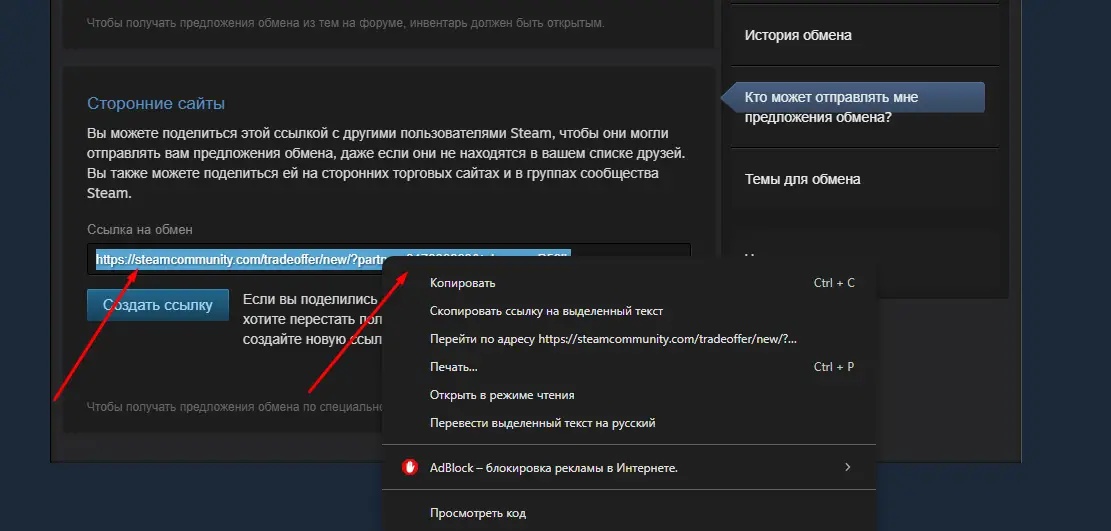
Method 2: Through Steam Client
1. Click your Steam username and select “Inventory.”
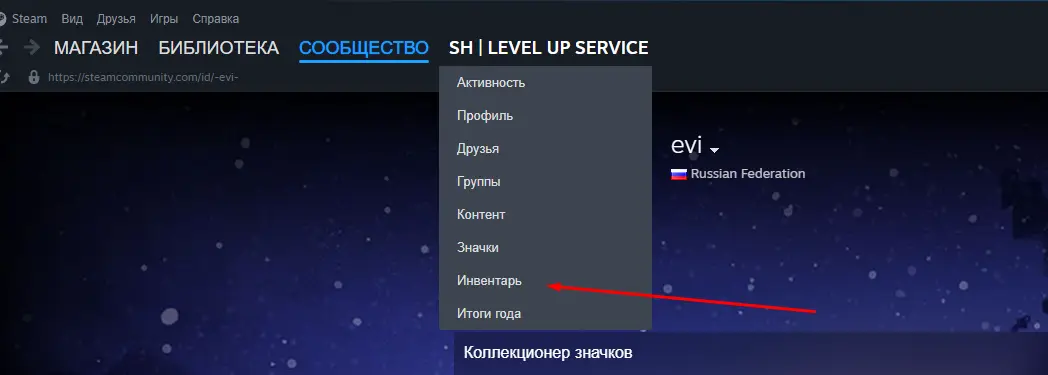
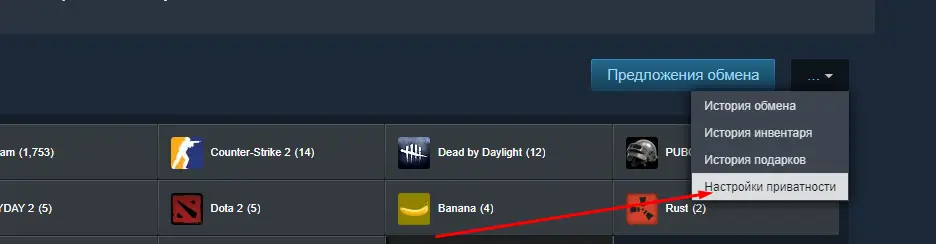
2. In the top-right corner, click “More” and select “Privacy Settings.”
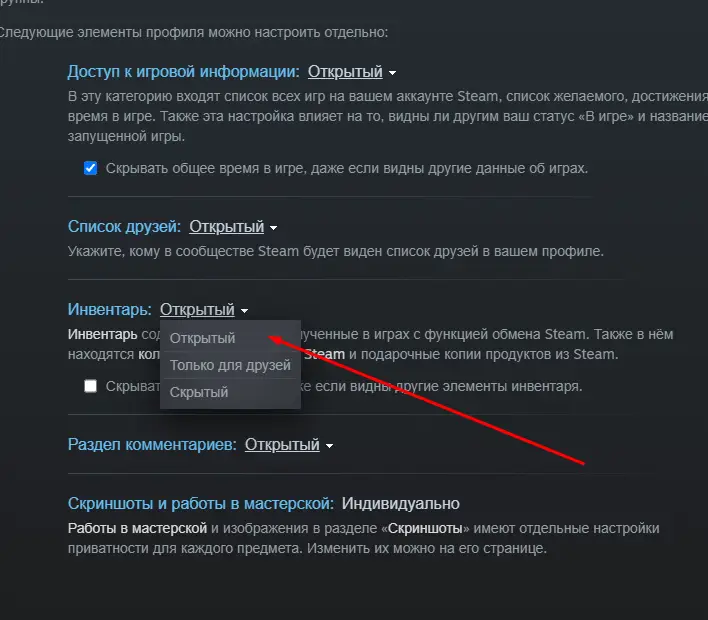
3. Under “Inventory,” set visibility to “Public.”
4. Go back to your Inventory page.
5. In the top-right corner, click “Trade Offers.”
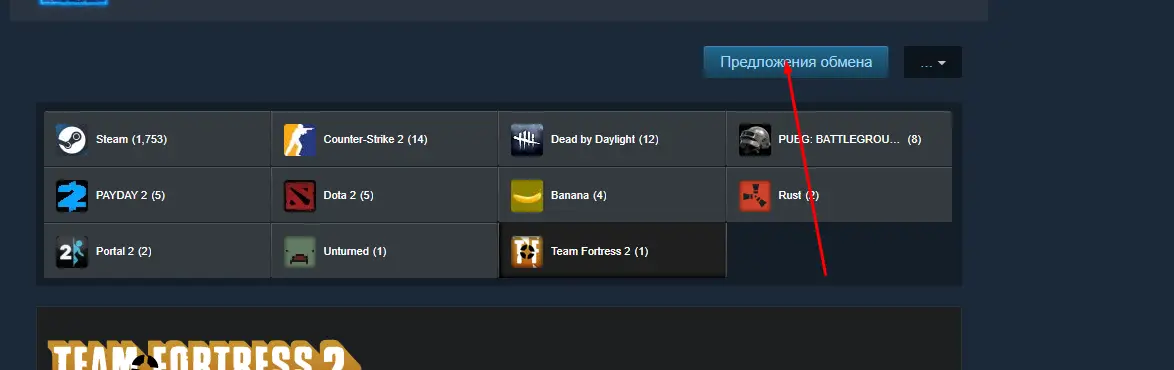
6. On the right side, choose “Who can send me Trade Offers?”
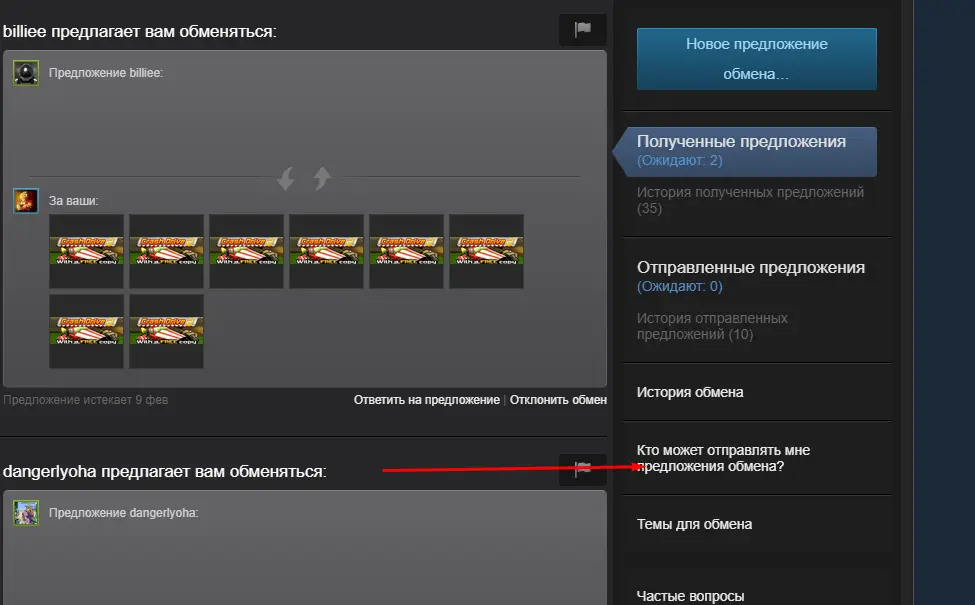
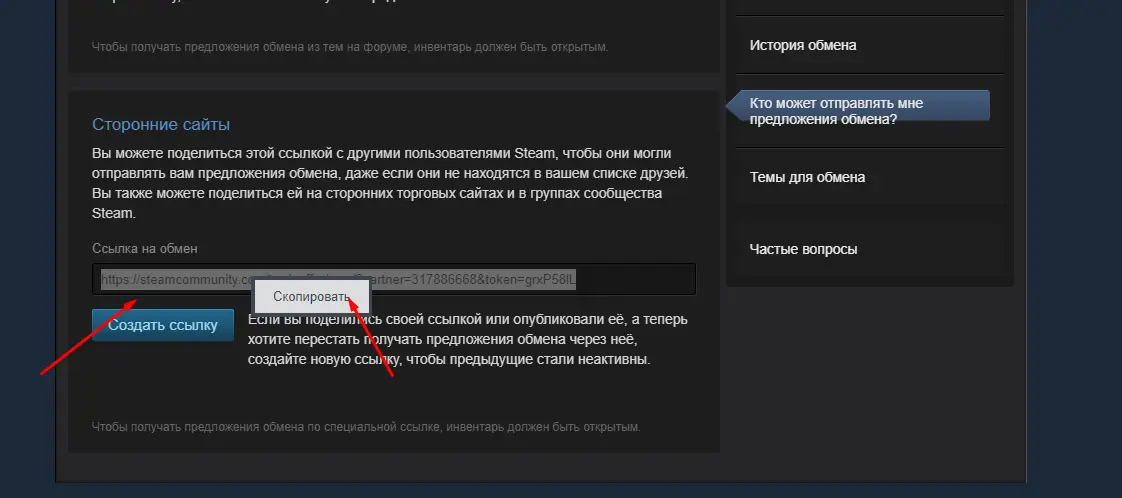
7. Scroll down to find the “Third-Party Sites” section — your trade link will appear there.
8. Copy your trade link and use it wherever needed.
Conclusion
The Steam trade link is a quick and secure way to share items with other players. Be careful not to share it publicly to avoid unauthorized trades. Only use your link on trusted websites and verified platforms.
Keywords: steam trade link, how to get steam trade link, steam inventory, steam trading, steam privacy settings, steam items, cs2 trade, cs2 skins, cs2case, cs2 cases, cs2 site