
Blog
How to exit CS2 quickly
How to Quickly Exit Counter-Strike 2
As the title suggests, this guide explains how to quickly close Counter-Strike 2 using console commands. This method is much faster and more reliable than pressing ALT + F4 or using Task Manager.Quick Exit via Console
To quickly exit CS2, open the developer console (enable it in settings if needed) and type:
quit
It should look like this:
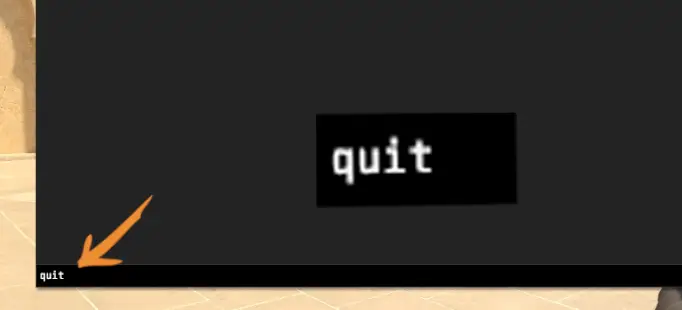
Then press Enter, and the game will instantly close.
Alternative Command
There’s another console command for quitting CS2:cs_quit_prompt
This command does the same thing but shows a confirmation window before closing the game.
Bind for Quick Exit
To avoid opening the console every time, create a key bind to close the game instantly:bind "p" "quit"
You can replace P with any key you prefer.
Many pro CS2 players bind this command to NUMPAD keys — for example, the star key:
bind "kp_multiply" "quit"
You can also use other NUMPAD keys if you like.
Why the Bind Doesn’t Work in the Main Menu
Unfortunately, the bind doesn’t work in the CS2 main menu — you can only exit via the console there. However, during gameplay, it functions perfectly.Keywords: cs2 quit command, how to exit cs2, cs_quit_prompt cs2, bind quit cs2, cs2 console, cs2 commands, cs2 guide, cs2case, cs2 cases, cs2 site